
Today, in a fast-paced digital world, creating great visuals no longer requires any specialised software or design skills. Introducing Remaker AI — a simple, browser-based assistant that uses cutting-edge artificial intelligence to edit, enhance, create, and convert images and videos in seconds. This tool brings professional-quality results to everyone, whether you love social media, are an artist of some sort, a marketer, or a small business owner.
What is Remaker AI?
Remaker AI is a new type of AI creative platform focused entirely on easy transformations for images and videos. Consolidates advanced features such as face swapping, background removal, image upscaling, AI generation, and video improvement into a single easy-to-navigate interface without the need for downloads or complex configurations.
Essentially, this tool relies on deep learning and neural networks to produce realistic results of the highest quality available. Users upload content, add effects or prompts, and let the AI do its work. Ideal for anyone, the platform combines a clean design with flexible alternatives from an essential form in no time, without charge, to complex ones with paid options.
Key Features That Stand Out
Remaker AI offers a comprehensive suite of tools designed for versatility and speed:
- Face Swap (Photos & Videos): Swap faces in single or group images and videos with natural blending, accurate skin tones, and realistic results. Ideal for fun edits, professional headshots, or creative projects. Multiface and batch options are available.
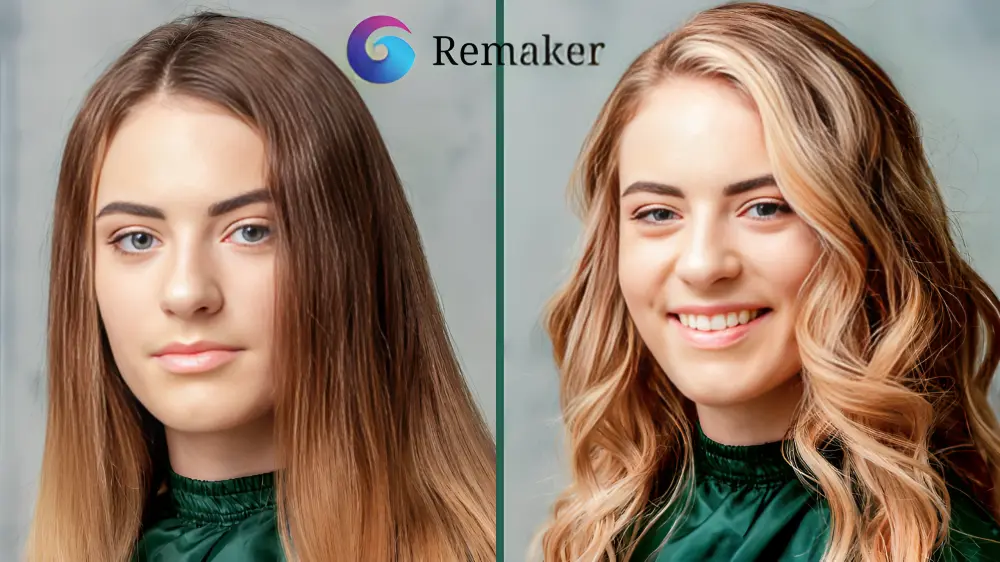
- AI Image Editing & Enhancement: Remove or replace backgrounds, erase objects, restore old photos, upscale images up to 4K or even 16K, and apply style transfers or artistic effects. Tools like the magic eraser and photo enhancer deliver quick, polished outcomes.
- AI Generation Tools: Generate images from text prompts; create professional headshots or portraits; design logos, stickers, avatars, and more. Features like Anime Art Editor and Flux AI models add creative flair.
- Video Tools: Turn static images into dynamic videos, enhance video quality, remove backgrounds, and use templates for viral shorts, Reels, or TikToks. Face swap extends seamlessly to video content.
- Additional Perks: Watermark removal, object removal, meme makers, and trending entertainment templates make it a true all-in-one solution.
The platform is fast and easy to use, providing key features for free and a credit system unlocking premium tools.
Who Can Benefit from Remaker AI?
- Content Creators & Influencers: Produce eye-catching thumbnails, Reels, and personalised content quickly.
- E-commerce Businesses: Create product photos with clean backgrounds or generate variations effortlessly.
- Photographers & Designers: Restore, upscale, and enhance images without manual editing.
- Casual Users: Have fun with face swaps, family photo updates, or creative experiments.
The fact that it runs entirely in the browser (there’s no install) means you can begin creating code from any device connected to the Internet.
Pricing: Flexible and User-Friendly
Remaker AI operates on a credit basis and offers free options. Typically, new users are given free credits to test the waters with the most basic tools (single face swap or background removal are completely free in most cases, or have a daily limit).
Paid credits are one-time purchases (they have no expiration) and start relatively inexpensively—like 200 for $5.99—scaling up in price for heavier users. Perfect for infrequent use or demanding high volumes of traffic, as there are no compulsory subscriptions. Prices may vary a little between web and mobile apps.
Tips for Best Results
- Use high-quality source images with good lighting for optimal AI performance.
- Experiment with clear, descriptive prompts for generation tools.
- Start with free features to familiarise yourself before purchasing credits.
Conclusion: Unlock Your Creativity with Remaker AI
With Remaker AI, we can all create new visual impressions with the beauty of editing. Its strength lies in the combination of its strong AI capabilities, ease of use, complexity, and flexible pricing. Be it remixing a photo for fun or producing professional content for your brand, this tool offers speed, quality, and limitless potential.
Are you designed to emit thoughts and visuals? Go to Remaker AI, and start creating now—your next viral post or dazzling project is only a few clicks away.
FAQ’s
Q1. Is Remaker AI safe to use?
Ans. Yes, Remaker AI stands as a safe option for casual use. It processes images using secure payments via Stripe and promises to delete the uploaded images after processing. But one should never post sensitive or personal photos, just like other AI tools. To keep yourself at peace, always take a look at their privacy policies.
Q2. Is Remaker AI free or paid?
Ans. Remaker AI is both free and paid. Free — Many basic tools can be tested with limited credits (often 30 on signup + daily bonuses). No subscriptions are required—purchase one-time credit packs starting at £5.99 for HD, unlimited use, or advanced features. Great for both casual fun and serious work!
Q3. What is Remaker AI used for?
Ans. Remaker AI — a user-friendly AI platform for image and video editing. You can use it for photo restoration, background removal, face-swapping, image upscaling, creative style application, and fun video generation from texts or images. Best for those looking to whip up high-quality visuals in a snap with zero design skills!