
Now you can build a website without knowing code, hiring an expensive designer, or burning your entire budget. In 2026, you will have AI website builder free option to describe your business or idea in simple words, and you will get a fully ready-to-publish site within minutes. The tools take care of layout, text, images, and basic structure automatically, but then let you fine-tune it all with simple visual editors.
When you have a personal portfolio, small business landing page or simple prototype, free AI builders eliminate the legacy barriers. This guide walks you through how they work, which actually offer value on their free plans, and how to maximise your results.
- What is an AI Website Builder?
- Key Benefits of Using an AI Website Builder Free
- Core Features to Expect in 2026
- Best Free AI Website Builder Options in 2026
- How to Build a Website with a Free AI Builder: Step-by-Step
- Limitations of Free Plans and How to Work Around Them
- Latest Trends in AI Website Building
- Practical Tips for Better Results
What is an AI Website Builder?
An AI website builder can use AI to create websites from text prompts or questionnaires. You give it details about your business, goals, preferred style, or target audience. AI composes pages, drafts text content, makes image suggestions, and creates layouts.
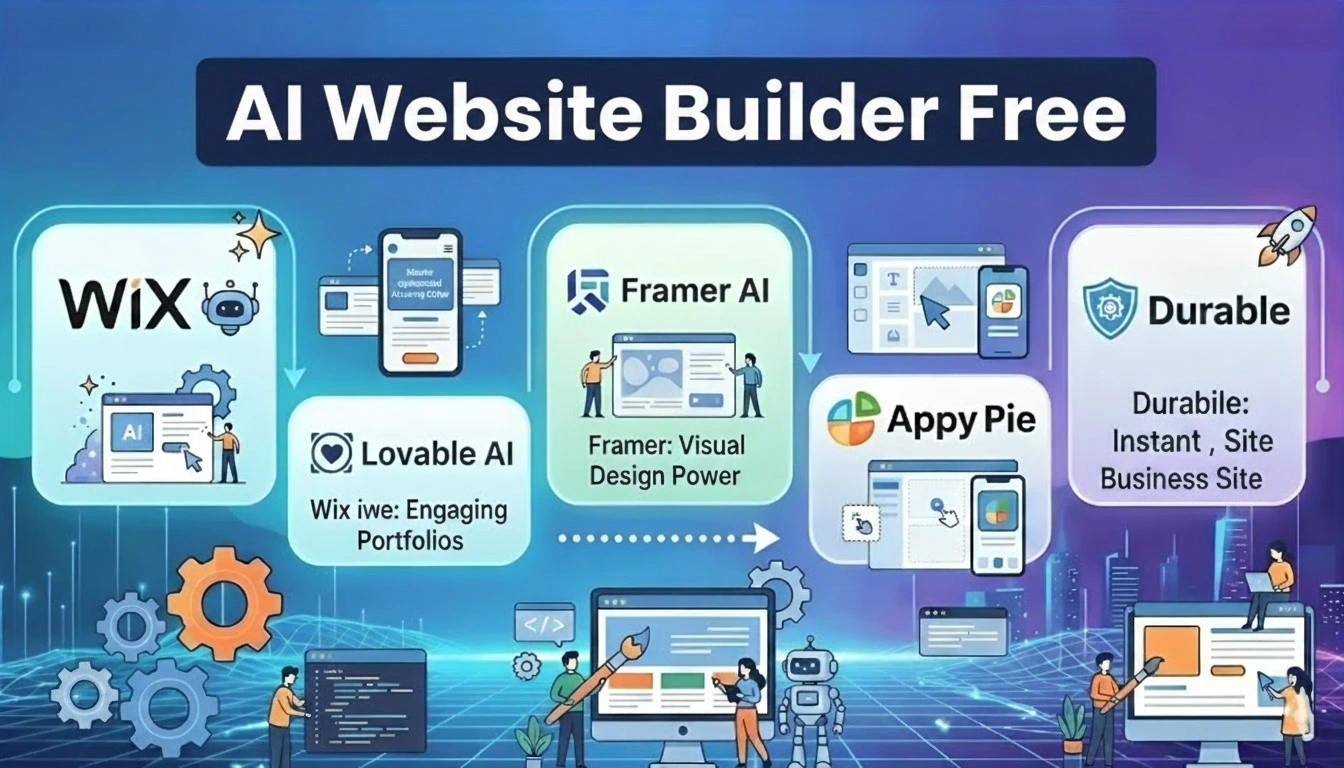
Most up-to-date tools combine this generation step with a drag-and-drop or visual editor. You can edit the output, get your own images, change colours, or regenerate sections. Wix (with its AI tools), Framer, Durable, and Lovable are some of the popular platforms to use in 2026, with online free plans available.
Key Benefits of Using an AI Website Builder Free
Free AI tools offer clear advantages for beginners and budget-conscious users:
- Speed — A basic site can go from idea to live draft in under five minutes.
- No coding required — natural language prompts replace technical knowledge.
- Cost savings — Test ideas and launch simple sites without monthly fees at the start.
- Mobile-ready designs — Most outputs are responsive by default.
- Built-in content help — AI drafts headlines, about sections, and service descriptions.
- Easy experimentation — Try multiple versions or styles quickly before committing.
These tools are used by small business owners, freelancers, and creators to quickly go online while working on their offer or collecting feedback.
Core Features to Expect in 2026
Today’s better free AI builders typically include the following:
- Text-to-site generation from a short description
- AI-written copy and image suggestions
- Drag-and-drop or conversational editing
- Mobile and desktop previews
- Basic SEO elements (titles, meta descriptions, structure)
- SSL and hosting on a free subdomain
- Templates or style options you can override
Higher-paid tiers might come with limited AI image generations, other generations, or even simple contact forms and a blog section. Typically, this service includes full e-commerce, custom domains, and removal of the platform branding for a fee.
Best Free AI Website Builder Options in 2026
Based on testing and feedback so far, here are some of the best free or freemium options that I have found:
Wix
Often ranked as the most complete free option. Asking about your business, its AI assistant (and Harmony-style tools) creates a whole site. What you get is a live website with a Wix subdomain, a good editor, and many apps. Open and free sites show ads and branding. Perfect for small businesses and multi-page sites.
Framer
Great for modern landing pages and design portfolios. The free tier allows real live sites using AI generation assistance. Branding comes up, and depending on the plan, it can have some restrictions for commercial use. The ideal choice when the aspect of visual high quality matters most.
Durable
Known for speed — many users have claimed the whole site will be built in around 30 seconds. Best for service businesses and local companies. All the free plan provides is a live site on a durable subdomain, with AI credit limits.
Lovable and similar AI-native tools
These are about building working web applications or more interactive sites based on prompts, usually with options to export code. Good for prototyping: free tiers. It’s better for later if you want greater control or a developer with whom to collaborate.
Other alternatives to consider are testing Jimdo (for ease of use), Dorik (for simple sites) and some options based on WordPress, if you’re more into that ecosystem. Please always check the latest free-check-out definitions and limits, which are every day changing.
How to Build a Website with a Free AI Builder: Step-by-Step
- Define your goal clearly — know whether you need a simple one-page site, a multi-page brochure, a portfolio, or a basic service site.
- Choose a tool and sign up — Start with Wix or Framer for most users. No credit card is usually required for free plans.
- Provide a strong prompt or answer questions — include your business name, what you offer, your target audience, your preferred style (modern, minimal, or bold), and any must-have pages.
- Review the generated site — check structure, content accuracy, and design. Regenerate weak sections if the tool allows.
- Customise — Replace placeholder text and images with your own. Adjust colours, fonts, and layout. Add contact details and links.
- Preview on mobile — Confirm everything looks good on phones.
- Publish — Launch on the free subdomain. Share the link and gather feedback.
- Plan next steps — When ready for a custom domain, more storage, or ad removal, evaluate paid plans.
Practical tip: Write your prompt as if explaining the site to a designer. Specific details produce better first drafts than vague ones.
Limitations of Free Plans and How to Work Around Them
Free tiers almost always include trade-offs:
- Platform branding or ads
- Subdomain instead of your own domain (example.wixsite.com)
- Limited storage, bandwidth, or AI credits
- Restricted e-commerce or advanced marketing tools
- No full code export on many platforms
That is precisely why free plans are great for testing, portfolios, and personal projects as well as early-stage ideas. If you have a professional brand or developing business, the majority will be willing to upgrade within several months. Or, you can layer free AI generation with dedicated free tools (Canva for graphics; Google Free form for contact) to further extend the free experience.
Latest Trends in AI Website Building
In 2026, AI has become more than just a series of simple templates. They create clearer multi-page sites and better-written content and have a higher degree of visual consistency. Hybrid workflows (AI draft + visual fine-tuning) rule the roost. Some platforms focus on enabling the export of code and ownership so users do not get locked in, as well as competition improving free tiers (but also paid plans enable you to unlock the whole professional experience). These developments will include continued improvements in speed, SEO readiness, and other AI tool integrations.
Practical Tips for Better Results
- Be specific in prompts and include examples of styles you like.
- Always replace AI-generated stock text and images with authentic content.
- Focus on clear calls to action and mobile experience.
- Test page load speed and basic SEO after publishing.
- Review privacy and data policies before uploading sensitive information.
- Start simple — a clean one- or three-page site often outperforms a cluttered complex one.
Final Recommendation and Summary
An AI website builder free tool provides what is now effectively a means for almost anyone to design and go live with a working site in minutes, entirely for free. In 2026, the free category is dominated by Wix, Framer, and Durable, which marry usable editing & hosting with AI generation. Free plans are suitable for learning, prototyping, personal branding, and basic business presence, although there are some predictable limitations around branding/appearance/distribution domains in use and advanced features.
Start from a defined objective and a well-crafted prompt on one of the best free tools out there. Then make the result with your actual content, publish it, and collect some real feedback. Now that needs have expanded—a custom domain, greater traffic capacity, or e-commerce—it is time to either upgrade on the same platform to a paid plan or migrate over. The most logical choice for a starting point is also the free one: Wix if it’s your general small business site build, Framer if you do page design, or a dedicated AI-native builder to create interactive prototypes.
With the right tool, and in a niche way, you can live with a professional online presence today for free.