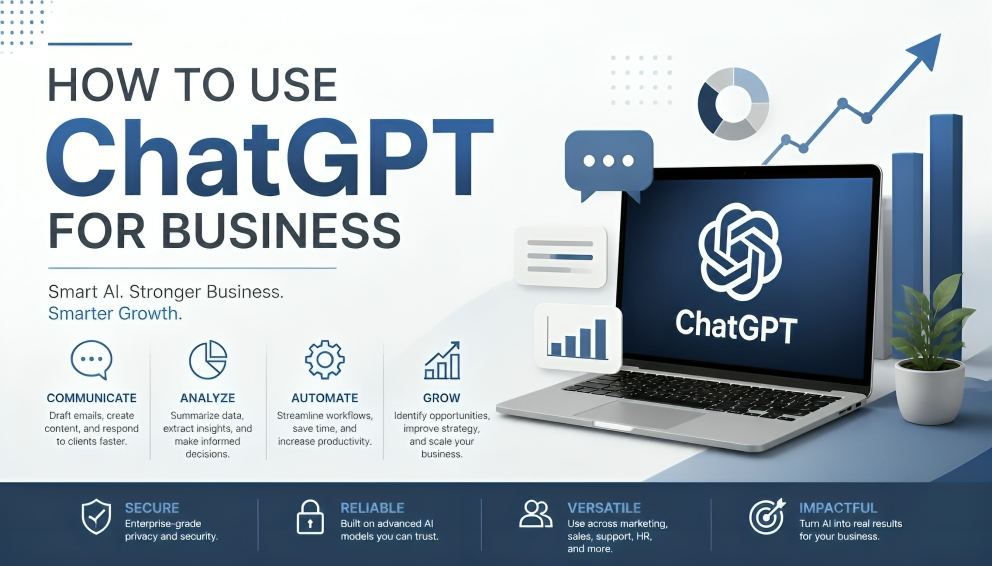

Businesses today must move faster, produce better content, and make smarter decisions, but resources are limited. You can use many tools to achieve this, but perhaps one of the most effective is ChatGPT. ChatGPT for businesses can be a game changer in everyday workflows—from writing emails and performing data analysis to preparing presentations and supporting customers.
This guide explains exactly how to use ChatGPT for business in a practical, secure, and high-impact way. You will discover the major features that will be available in 2026, how to use them in real life, start-from-scratch configuration tips, recommendations, and caveats.
What is ChatGPT for Business?
ChatGPT is OpenAI’s conversational AI platform. The free and paid versions serve well for individual users, but the ChatGPT Business plan (previously ChatGPT Team) provides additional capabilities that businesses need.
ChatGPT Business offers a shared workspace, admin controls, higher usage limits, enterprise-level privacy (your data is not used to train models by default), single sign-on support, and tools for ChatGPT Work and Codex, and data connectors. Standard seats are $20/user/month (billed annually, $25 monthly) from now until September 2026, while premium seats come with higher limits at a premium price. At least 2 seats are necessary.
Larger organisations with more stringent compliance requirements are migrating to ChatGPT Enterprise for SCIM provisioning, data residency, and custom contracts.
Key Benefits of Using ChatGPT for Business
- Time savings — Draft emails, reports, and content in minutes instead of hours.
- Improved quality and consistency — Maintain brand voice and reduce errors with clear instructions and templates.
- Better decisionmaking — Quickly analyse data, summarise research, and explore scenarios.
- Scalability for small teams — Achieve more without hiring additional specialists.
- Secure collaboration—Shared projects, admin oversight, and privacy controls keep company information protected.
We hear of many teams making measurable productivity gains once ChatGPT is woven into the fabric of daily work, rather than just a one-off experiment.
Core Features Available in 2026
Modern ChatGPT Business includes several powerful capabilities:
- ChatGPT Work — An agent designed for longer, multistep tasks such as research, document creation, and analysis across connected files and apps.
- Codex — Strong support for coding, debugging, and technical work.
- Data plugin and connectors — Analyse business data from connected sources and create dashboards or reports.
- Deep Research — Investigate complex questions using the web, files, and authorised apps, with source-backed outputs.
- Voice and advanced models — Real-time voice conversations powered by newer models such as GPT5.6 and GPT6 Astra for reasoning-heavy tasks.
- Image generation and editing (Images 2.5) — Create and refine visuals faster.
- Microsoft PowerPoint integration — Build and edit presentations directly inside PowerPoint.
- Memory and Projects — Retain relevant context across conversations and store company knowledge, style guides, and templates in shared Projects.
- Admin tools — Manage seats, test model access, control permissions, and monitor usage.
Please be aware that, due to the gradual depreciation of custom GPTs — in favour of plugins — which create reusable instructions mixed with connected apps.
Practical Ways to Use ChatGPT for Business
Here are proven applications across common business functions:
Marketing and Content
Create blog outlines, social media calendars, variations of ads, email sequences, and copy for landing pages. For better results, provide your brand voice, audience, and examples.
Sales
Prepare call briefs, write followup emails, qualify leads, draft proposal outlines, and summarise competitor info.
Customer Support
Draft polite, on-brand replies, summarise support tickets, and turn common questions into knowledge base articles.
Operations and Administration
Convert messy notes into standard operating procedures (SOPs), meeting agendas, action item lists, and training materials.
Data and Analysis
Upload spreadsheets or connect data sources to clean data, run calculations, spot trends, and generate charts or executive summaries.
Product and Engineering
Use Codex for code review, documentation, test cases, and internal tools. Combine with Deep Research for technical exploration.
Meetings and Collaboration
Record or paste transcripts to produce clear summaries, decisions, and assigned action items. The desktop app’s recording feature makes this especially smooth.
Step-by-Step: How to Get Started with ChatGPT for Business
- Choose the right plan — Start with ChatGPT Business for teams of 2–200. Select Standard or Premium seats based on expected usage.
- Set up the workspace — create the workspace, add at least one additional owner, verify your domain, and enable SSO if available.
- Invite your team — Assign seats and roles. Keep permissions clear from day one.
- Build shared context — Create a project that contains your company overview, brand guidelines, product details, common customer questions, and preferred writing examples. Share it with the team.
- Connect useful apps — Link tools such as Slack, Google Drive, or Microsoft apps where relevant, following your security policies.
- Start with high-impact workflows — pick 2–3 repetitive tasks (email drafting, meeting summaries, content outlines) and create clear prompt templates.
- Train the team and review outputs — Encourage specific prompting and always have a human review important work before it goes external.
Best Practices for Strong Results
- Write specific prompts that include role, context, audience, tone, length, and format.
- Provide examples of good (and bad) outputs whenever possible.
- Use projects and memory to keep company knowledge consistent.
- Always review and edit AI-generated content—especially for customers, legal, or financial matters.
- Establish clear data rules: never paste highly sensitive personal, financial, or proprietary information unless your plan and policies explicitly allow it.
- Measure value by tracking time saved and quality improvements on key workflows.
- Iterate. Treat the first output as a draft and refine with follow-up questions.
Common Mistakes to Avoid
Vague prompts, skipping human review (which much data involves), sending non-work plans but designing with business-sensitive data, and believing there is perfection without context are all limiting success. Consider ChatGPT as an able-bodied assistant instead of a fully functioning employee.
Latest Trends in 2026
Teams leaving chat behind are performing agentic workflows with ChatGPT Work, stronger data connections, multistep research, and tighter integrations with PowerPoint or Slack. Voice and vision capabilities keep getting stronger through more advanced admin controls and privacy features. We moved from a mode of “experimenting with AI” to digestible processes for measuring business value.
Strong Summary and Recommendation
ChatGPT for business, when used in earnest, should not even be thought of as an add-on because it multiplies productivity. In fact, with workspaces and models, Work & Codex support data tools and privacy policies that cater to everything from solo entrepreneur businesses all the way through midsize teams.
Begin by having a dedicated workspace for your business, populating the context of your company into a project, and deploying ChatGPT to two or three high-frequency tasks this week. Evaluate each key output, and refine your prompts many times before expanding any further. When used this way, ChatGPT becomes a trustworthy partner that unburdens your team to focus on strategy, relationships, and creative work that actually moves the business forward.
In 2026, the biggest benefit, maximum advantage, will be for businesses that have transformed everyday use of AI into disciplined, reviewed, and measurable workflows—not those with the most sophisticated models.