
Software development has changed dramatically. With the right tools, a process that once took hours of manual coding can be done in minutes. An AI coding assistant is the best version of pair programming, where it suggests code, explains hard logic, refactors files, writes tests, and even performs end-to-end multistep tasks by traversing a project.
In 2026, these tools have advanced well beyond the point of simple autocomplete. They can read the entire codebase; they understand natural language commands, and they facilitate both rapid-fire “vibe-coding” exercises and more formal agentic workflows. Adoption is astounding – the latest industry findings have the majority of developers now using AI coding tools every day, and much of the new code is AI-generated.
In this guide, you will learn what the AI coding assistant is, how it works, popular types of AI coding assistants, benefits, trends, and tips you need to get started effectively.
What is an AI Coding Assistant?
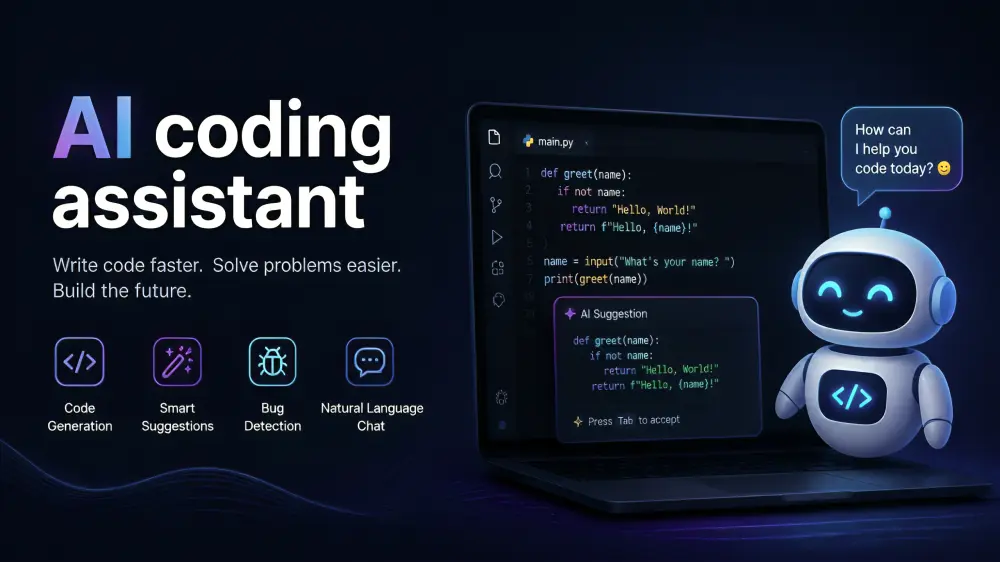
An AI coding assistant is software that leverages large language models trained on a massive amount of code to aid developers in writing, comprehending, debugging, and optimising software. It can live within your code editor (VS Code or a dedicated AI IDE), run in the shell, or act as a stand-alone agent.
You can write a comment, describe a functionality in simple words, or notify us about buggy code. The assistant replies with suggestions, complete functions, multi-file changes, or step-by-step plans. Performing tests, validating results, and iterating are also features of modern versions.
Examples you may have seen in mid-2026 are Cursor, GitHub Copilot (Gen 2), Claude Code, Windsurf, and Gemini Code Assist. The tools utilise strong foundational models, like Claude Opus, the GPT5 series, and Gemini variants.
Key Benefits of Using an AI Coding Assistant
Teams and individual developers gain clear advantages:
- Faster development — Boilerplate, repetitive functions, and common patterns appear almost instantly.
- Better code quality — Assistants often suggest cleaner structures, edge case handling, and consistent style.
- Reduced context switching — Ask questions about your own codebase without leaving the editor.
- Easier onboarding — New team members can explore unfamiliar code by chatting with the assistant.
- Support for multiple languages — Most tools handle Python, JavaScript/TypeScript, Java, Go, Rust, and many others.
- Automation of routine work — Unit tests, documentation, simple refactors, and migration scripts become much quicker.
Results in real life differ, but a lot of developers claim to wrap up features within half the time with double the effort for architecture and troubleshooting problems.
Main Types of AI Coding Assistants
1. IDE-Integrated Assistants
These operate within your current editor. GitHub Copilot is the poster child — excellent inline completions, chat and agent features are emerging. Still a favourite among teams seeking the least disruption to their workflow.
2. AI-Native Editors
Tools like Cursor and Windsurf reimagine the dev environment centred on AI. They have complete codebase awareness, multifile editing (these are sometimes called Composer or Cascade modes), and visual diffs. Cursor often features in the list of the most overall best options for everyday professional use as seen in 2026.
3. Terminal and Agentic Tools
Claude Code, OpenAI Codex CLI, Aider, and similar tools run in the terminal. They are capable of planning tasks, editing many files at once, executing commands, running tests, and iterating without constant supervision. These are great for bigger refactoring and repository-level work.
4. Specialized or Enterprise Options
Tabnine is privacy-orientated and can deploy on-premises. Seamless integration with cloud ecosystems of efficiencies (Amazon Q developer & Gemini Code Assist). Several platforms support bringing your own model (BYOK) as well.
Latest Trends in 2026
So much of the conversation revolves around two related concepts: vibe coding and agentic coding.
The term ‘vibe coding’ refers to when you tell the AI assistant in natural language what you’re trying to achieve and take most of the code it generates after a light review as is – optimal for creating prototypes/for exploratory programming. ‘Agentic coding’ takes this a step further: The tool sets out a multi-step workflow, executes changes, checks outcomes, and self-reports. And nowadays most senior developers use a combination of both.
Other important trends include:
- Multi-file and multiagent workflows
- Better context handling of large codebases
- Stronger security and governance features
- Growing use of AI-generated code in production (with human review still essential)
- Integration of coding agents into CI/CD and issue-tracking systems
Practical Features That Matter Most
When evaluating an AI coding assistant, look for:
- Codebase-wide understanding
- Accurate multifile edits
- Ability to run and interpret tests
- Clear diffs and easy acceptance/rejection of changes
- Support for your preferred languages and frameworks
- Privacy and data handling policies
- Pricing that matches your usage (flat subscription vs usage-based)
Best Practices and Actionable Tips
- Start small — use the tool for autocomplete and simple functions first. Build trust before giving it larger tasks.
- Write clear prompts — describe the goal, constraints, existing patterns, and expected edge cases.
- Always review the output — AI can introduce subtle bugs, security issues, or outdated patterns. Treat suggestions as drafts.
- Combine tools — Many developers use Cursor or Copilot for daily editing and a terminal agent for deeper work.
- Provide good context — point the assistant at relevant files, tests, or documentation.
- Set guardrails — Use project rules, .cursorrules, or CLAUDE.md files so the AI follows your team’s conventions.
- Measure impact — Track time saved, code review comments, and defect rates rather than just lines of code generated.
Even teams that build consumer products — e-commerce sites for brands like Amazon in the health space, for instance — tell us that combining human judgement with an AI coding assistant improves overall speed and consistency.
How to Get Started in a Few Steps
- Choose one tool that fits your current editor or willingness to switch (Cursor and GitHub Copilot are common starting points).
- Install the extension or save the editor and sign in.
- Open a real project and try generating a small feature or fixing a known bug.
- Experiment with chat and multifile modes.
- Review results carefully, then gradually increase the scope of tasks you delegate.
- Add team guidelines once several developers are comfortable.
Final Thoughts and Recommendation
In 2026, the AI coding assistant has become a central productivity tool for almost all professional developers — not an optional extra. The best outputs occur when you treat it like a competent associate rather than as a magic replacement. Select a tool that suits your editor and workflow perfectly; do small, clear tasks to start with; pay close attention to everything; and slowly increase what you delegate.
Whether you are a single developer who needs to ship features rapidly or a team maintaining bigger systems (examples would be teams that maintain systems that feed data into systems supporting brands like Amazon or Flipkart), the best outcomes come from human judgement and robust AI coding. Pick one or two top contenders from it this week, test them on a real project to see how they perform, and iterate your process from there. Those developers who learn to harness these tools judiciously are likely to distinguish themselves from their less learned peers, years down the line.